
How to Record Clean Audio on Set Without a Sound Department
No boom op, no sound mixer? Here's how to capture broadcast-quality audio on your film set with a lean crew and the right gear.
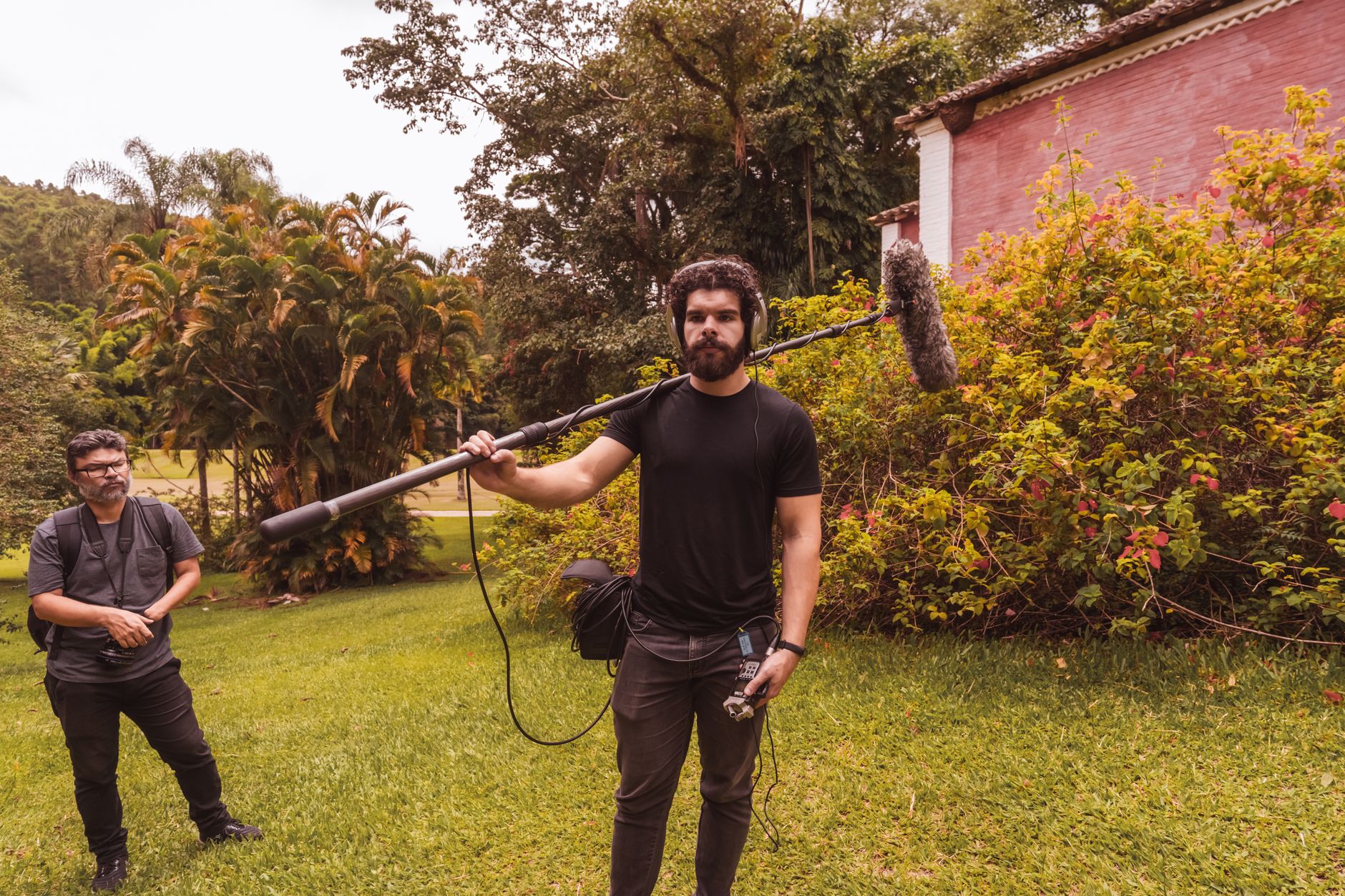
Bad audio kills a film faster than bad cinematography. Audiences will forgive a shaky handheld shot. They will not forgive dialogue they can't understand. If you're shooting without a dedicated sound department, you need a plan before the camera rolls.
Why Audio Falls Apart on Lean Productions
Most no-budget and micro-budget shoots fail at audio for the same reasons. Nobody owns the job. The DP is worried about exposure. The director is watching performance. The AC (assistant camera operator) is pulling focus. And the sound gear gets plugged in, set to auto-gain, and forgotten.
Auto-gain is the enemy. It breathes. It pumps. It makes your interior dialogue sound like it was recorded inside a running refrigerator. Turn it off on every device you use.
The other killer is room tone. Untreated rooms, HVAC (heating, ventilation, and air conditioning) systems, refrigerators, fluorescent lights humming at 60Hz. These sounds are invisible to you when you're in the room. They are brutally audible in post. Before you shoot a single line of dialogue, walk the location with your ears, not your eyes.
The Minimal Gear Setup That Actually Works
You don't need a full cart with a Sonosax mixer and a Schoeps stereo bar. But you do need the right basics.
For a two-person crew handling both camera and sound, here's a workable rig:
- A dedicated audio recorder like the Zoom F6 or Sound Devices MixPre-3 II (these handle 32-bit float recording, which means you almost can't clip the signal)
- A directional shotgun microphone like the Sennheiser MKH 416 for exteriors or the Rode NTG3 for interiors
- At least one wireless lavalier (lapel) system, the Rode Wireless PRO or Sennheiser EW 100 G4 are solid mid-range options
- A boom pole, even a budget one, so you're not just sticking a mic on the camera
- Closed-back headphones for monitoring, the Sony MDR-7506 is an industry standard for a reason
32-bit float recording effectively eliminates clipping, meaning you can set your levels conservatively and fix gain in post without noise artifacts. It's one of the most useful developments in portable audio recording in the last decade.
Camera-mounted audio is a backup. Full stop. Use the mic input on your Sony FX3 or BMPCC 6K as a scratch track (a low-quality reference recording used to sync audio in post), not as your primary source. The moment you plant a mic on a camera, you're two to four feet further from the actor's mouth than you need to be, and you're picking up every focus motor, ND filter click, and lens breathing noise in the process.
Microphone Placement: The Fundamentals That Get Ignored
Here's the rule: get the mic as close to the mouth as physically possible without it entering the frame. That's it. Everything else is secondary.
For a shotgun on a boom pole, you want to be eight to twelve inches above the actor's head, pointed down at their mouth at roughly a 45-degree angle. This keeps the mic in the hypercardioid (a tight, forward-focused pickup pattern) sweet spot and rejects most of the room.
Working Without a Dedicated Boom Operator
If you're the director and you're also boom-operating, you're going to struggle. The better move is to assign boom to your PA (production assistant) and spend 20 minutes training them properly before the shoot day. Show them the frame line. Teach them to watch the actor's eyeline, not the camera. Tell them to keep the pole steady and breathe slowly.
For single-person setups, a lav on the actor plus a stationary boom on a mic stand positioned just out of frame is a surprisingly effective combination. It's not elegant, but it works. Mix the two tracks in post for depth.
Lav Placement and the Clothing Problem
Lavs (lavalier microphones) are finicky. The default chest placement, clipped to a collar or shirt lapel, is fine until your actor moves, crosses their arms, or wears anything synthetic. Synthetic fabric against a lav capsule sounds like someone crumpling a grocery bag.
The fix is burying the lav. This means:
- Securing the capsule under a layer of clothing with medical tape or Rycote stickies (small adhesive mounts designed for lavs)
- Using a small piece of moleskin or Overcover (a breathable fabric cover) over the capsule to kill friction noise
- Routing the cable so it doesn't pull on the mic when the actor turns
The TransPack method, where the transmitter pack is wrapped in a small pouch and taped to the actor's lower back, keeps the pack stable and out of the way during physical scenes.
Test every lav placement before the scene rolls. Have the actor perform the actual movements of the scene while you listen on headphones. You'll catch problems in 30 seconds that would cost you two hours of ADR (automated dialogue replacement, where actors re-record lines in a studio to replace unusable location sound).
Controlling Your Environment
The best microphone in the world can't fix a bad room. You have to treat the space before you roll.
Kill every noise source you can control. Shut off HVAC. Turn off refrigerators (and remember to turn them back on). Pull the plug on any appliance that hums. Ask your neighbors nicely, or schedule around predictable noise like traffic or planes on flight paths.
For rooms with hard floors and bare walls, sound bounces everywhere. Moving blankets draped over C-stands (heavy-duty metal stands used to hold lighting and grip equipment) just outside the frame create cheap, effective absorption. You won't get a treated studio, but you'll kill the worst of the flutter echo (rapid sound reflections between parallel surfaces).
Always record 30 seconds of room tone at every location with no one talking. You need this in post to smooth cuts and fill gaps in dialogue edits. Skipping room tone is a beginner mistake that makes your editor hate you.
Syncing and Organizing Audio for Post
If you're recording dual-system sound (audio recorded on a separate device from the camera), you need a sync point on every take. A clapboard (slate) is the traditional method. The sharp clap gives your editor a visual and audio spike to line up.
No clapboard? Use a hand clap directly in front of the lens at the start of each take. It's not glamorous, but it works and costs nothing.
Name your audio files on set. Don't leave a folder of 200 files called ZOOM0001 through ZOOM0200 for your editor to sort through. Use a naming convention like Scene-Take-Character. Ten minutes of organization on set saves hours in post.
The Stranger Things 5 sound team reportedly used multi-track recording to capture separate feeds for whispers, ambient set noise, and principal dialogue simultaneously. You can apply the same principle at a fraction of the scale: record your boom and your lav on separate tracks so you have options in the edit.
Key Takeaways
- Turn off auto-gain on every recording device and monitor levels manually through headphones on every take
- Use a dedicated external recorder like the Zoom F6 with 32-bit float recording as your primary audio source, never the camera's built-in mic
- Get the mic as physically close to the actor as possible without entering the frame, either via boom pole or buried lav
- Treat your recording environment before rolling: kill HVAC, appliances, and background hum, and use moving blankets to reduce echo
- Always record 30 seconds of room tone at each location and sync dual-system audio with a clapboard or hand clap on every take
Frequently Asked Questions
Q: Can I just use the microphone built into my mirrorless camera for dialogue?
A: Only as a last resort or scratch track reference. Built-in mics pick up handling noise, lens motors, and too much room ambience to be usable as primary dialogue audio. Even a budget external recorder with a basic shotgun mic will give you significantly cleaner results.
Q: What's the most common audio mistake on low-budget sets?
A: Leaving the recorder on auto-gain and skipping monitoring. These two habits together will ruin your audio almost every time. Set your levels manually, keep them conservative, and wear headphones for every single take so you actually hear what's being recorded.
Q: Is ADR a viable fallback if my location audio is bad?
A: ADR can fix unusable dialogue, but it's expensive, time-consuming, and rarely sounds as natural as well-recorded location sound. Actors struggle to match their on-camera energy in a studio, and the acoustic difference is often audible even to untrained ears. Fix it on set whenever you can.